| |

|
|
Home >> Solutions >> Freight Forwarding Industry |

|
About e-Freight - Comprehensive
solution for Freight Forwarding Industry
As a Freight forwarder are you worried of managing the multilocational
operations, want to have an integrated modular facility to avoid
double entries, a system that doesn't allow you to fail in any
of the activities that you are supposed to perform. e-Freight
is the only solution that can address all your requirements
and much more with the highest level of flexibility. e-Freight
is a web centric software catering to Freight Forwarding industry
developed using J2EE technology. The system includes modules
to cover all complex operations within the freight forwarding
industry covering Air Freight, Sea Freight, Finance, Sales,
Stores and HRD functions.
Utmost care is given to the architecture such that it has the
flexibility to accommodate all the requirements of the clients,
let it be a database choice or a choice of communication medium
or functionalities or platforms. e-Freight has the facility of
drilling down on activities to the level of identifying the
exact time at which a particular job was finished. Facilities
are given for the management to customize their own reports
on top of the standard reports that are provided.
On
the whole, working with e-Freight make the dealings in Freight
Forwarding industry a different experience.
|
| |
Click
to view the Process Flow Diagram |
Integration
e-Freight offers an unique integration between front-end and
back-office systems, avoiding duplicate data entry. The design
enhances the accuracy and decreases the probability of errors
or miscalculations.
Modular
Approach
e-Freight comes in Six different modules with an integrated
approach among modules.
- Air Freight Operation
- Sea Freight Operation
- Finance
- Sales
- Stores
- HRD
|
| Key
Features |
Benefits
|
| Complete
web centric architecture |
Anywhere
Anytime access to data |
| Most
effective user interface crossing the barriers of
web technology |
End
user comforts |
| Online
or Offline Multi location data replication |
Multi
Branch/Location Integration |
| Auto
alerts based on predefined activities |
No
job left unfinished |
| Usage
of bare minimum communication infrastructure in
interconnecting locations |
Communication
Infrastructure Cost reduction |
| Facility
to send reports through email/Fax directly from
the system |
Flexible
medium of transmission |
| Facility
to export to Microsoft Excel, Microsoft Word or
Open Office.Org formats |
Flexible
interfaces with third party tools |
| Choice
of RDBMS (Oracle, Sybase, MS SQL etc) |
Customers
choice on data storage |
| Integrated
modular approach |
Avoid
duplicate data entry |
| Multi Lingual
user interface |
Flexibility
to integrate offices from various countries |
| Platform Independent |
Multiple Platform
working & Integration possible |
|
|

|
|
|
Finance
Transaction
Maintains all the day to day financial transactions
and is fully integrated with the other modules.
Finance related documents (Customer invoice, Agent
Invoice etc ) generated by the other module would
be automatically available in finance module. |
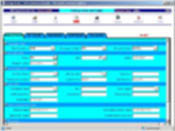
Journal Entry
Has the flexibility to accept all journal entries
& corresponding posting in general ledger
|
Click to view larger image |
|
|
Payable/Receivable Invoice
The payment against invoices payable/ receivable
from/to the parties are adjusted against the corresponding
invoices with posting to the respective general ledgers |
Click to view larger image |
|
|
Invoice
Invoices that have to be raised which are not related
to any shipment can be maintained here. |
Click to view larger image |
|
|
Debit Note
The debit/credit note for the party are created
& maintained and the same are adjusted against the
corresponding invoices. |
Click to view larger image |
|
|
Credit Note
The debit/credit note for the party are created
& maintained and the same are adjusted against the
corresponding invoices. |
Click to view larger image |
|
|
Payments/Receipts
All types of payment/receipt made against any vouchers/invoices
are created and maintained. For a particular payment/receipts
the corresponding voucher invoices can be retrieved
directly. |
Click to view larger image |
|
|
Bank Reconciliation
The Reconciliation details of Cheques received from
the parties or paid to the parties can be recorded. |
Click to view larger image |
|
|
Budgets
For a Particular period, budget can be set and also
the revised budget, if any, can be maintained and
the report is provided to checkout the Budget vs.
Actual figures. |
Click to view larger image |
|
|
Credit Approval
The credit limit is related to Air and Sea Module.
When the customer books the cargo, the system will
check the Credit Status and automatically alerts
the finance department. The finance department can
approve the credit using this functionality. |
Click to view larger image |
|
|
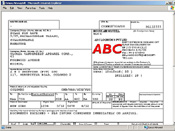
| Reports
(Finance Transaction) |
|
Profit
& Loss Statement
Balance Sheet
Trial Balance
General Ledger
Invoice List
Budget vs. Actual
P & L Scheduled
Account Budget
Transaction List
Budget for Quarter
Custom P & L Account
Payment & Receipt List
Missing Documents
TDS Receivable/Payable List Receivables/Payables
Summary
Debtors Ageing
Consolidated P&L
Invoice Revaluation Report
Finance Custom Report
KPI Age Analysis
KPI Age Analysis over 60 Days
KPI Airline/Ship line Payment Due
KPI Liquidity Statement |
Click to view larger image
|
|
|
|
Sales
A sale plays its role when the customer makes an
enquiry to the Freight forwarder with the intention
to book a cargo.
This module helps in further follow up activities,
weekly sales report etc which are provided here.
|
Customer Enquiry
A functionality to the sales representatives to
maintain the enquiries received and subsequent follow-ups
|
Click to view larger image |
|
|
CRM – Customer Enquiry
At any moment of time by knowing the customer’s
name or telephone number the customer transaction
details can be viewed (Ex: Invoice, Reservation
Card, Customer Contracts, MAWB, HAWB etc) |
Click to view larger image |
|
|
Time Sheet
The manager can allot work to the sales representative
and the sales representative in turn can view the
work allotted to him. Once the work is completed
the same is updated using this function. |
Click to view larger image |
|
|
| Reports
(Sales) |
|
Buy
Rate Tariff
Pre Planned Visit
Weekly sales Report
Time Sheet Reports
|
|
|
|
|
|
|
Stores
The module helps in maintaining various records
related to the stores like:
Generating the requisition for the truck to pickup
the cargo, generate the Pickup Instruction/Order.
To generate the Goods received note if the cargo
is directly sent by the shipper to store.
The Dispatch Requisition and dispatch note can be
prepared. |
Truck Requisition
The Requisition for the truck based on the reservation
cards can be generated using this function. One
requisition can have multiple reservation cards
|
Click to view larger image |
|
|
Pickup Order
Based on the requisition for the truck, the pickup
order for each shipper is generated |
Click to view larger image |
|
|
GRN
When the goods are directly received from the shipper,
a note stating that the goods have been received
can be generated using this function. |
Click to view larger image |
|
|
Dispatch Requisition
The requisition for shifting of a cargo from the
stores can be generated here. |
Click to view larger image |
|
|
Dispatch Note
When the cargo is dispatched from the store, based
on the requisition a dispatch note can be prepared
using this function. |
Click to view larger image |
|
|
|
|
|
|
HRD |
Employee Details
Employee details like job application, job offer,
salary workouts, transfer etc are created and maintained
|
Click to view larger image |
|
|
Calendar
This function is used to define the holidays in
the financial year. Normally this function is used
at the beginning of the new financial year. |
Click to view larger image |
|
|
Leave Entitlement
This function can be called at any time to calculate
the leave that is to be credited to each employee.
Depending upon the process date, it will calculate
the number of leaves to be credited to each employee
and updates the leave credit records. |
Click to view larger image |
|
|
Leave Application
Online leave application for all employees with
online manager approval facility |
Click to view larger image |
|
|
|
|
| |
System
Requirement
Software
requirement
Server Operating
System: Windows NT, UNIX, Linux.
Client
Operating System: Windows 98 with Internet Explorer 5.5
or above
Server Software:
Web servers (Apache, IIS etc.)
Application
server: (Tomcat, Jboss, Websphere, Weblogic Jrun etc.)
Database Server: (Oracle,
Sybase, MS-SQL etc.)
Hardware
requirement
Server:
PIII server with 512 MB, 40 GB HDD or above
Client:
Celeron, PII, PIII with 128 MB RAM 1 GB Free hard disk space
|
|
|
|